
Keeping your company’s careers page up to date should not require submitting tickets to developers or manually copying and pasting job descriptions across tools.
With the Teamtailor to Framer Sync plugin, you can establish an automated bridge between Teamtailor's applicant tracking system and Framer CMS in just 5 straightforward steps. Here is the complete visual guide.
Prerequisites
Before launching the plugin, make sure you have the following:
- A Framer Project: A project document open in Framer desktop or web.
- Your Teamtailor API Token: In your Teamtailor account, head to Settings > Integrations > API keys and generate an API key with Read permission.
- A Polar License Key: Your lifetime license key from Polar (format:
TT-FS-XXXX-XXXX-XXXX).
Step 1: Open the Plugin & Activate Your License
Inside Framer, open your project and launch the Teamtailor to Framer Sync plugin from the Plugins menu. On first launch, the plugin prompts you for your license key.
Paste your key and click Activate License. Your key is verified via encrypted HTTPS and saved to your browser's private local storage, unlocking unlimited syncs forever without leaking into shared team files.

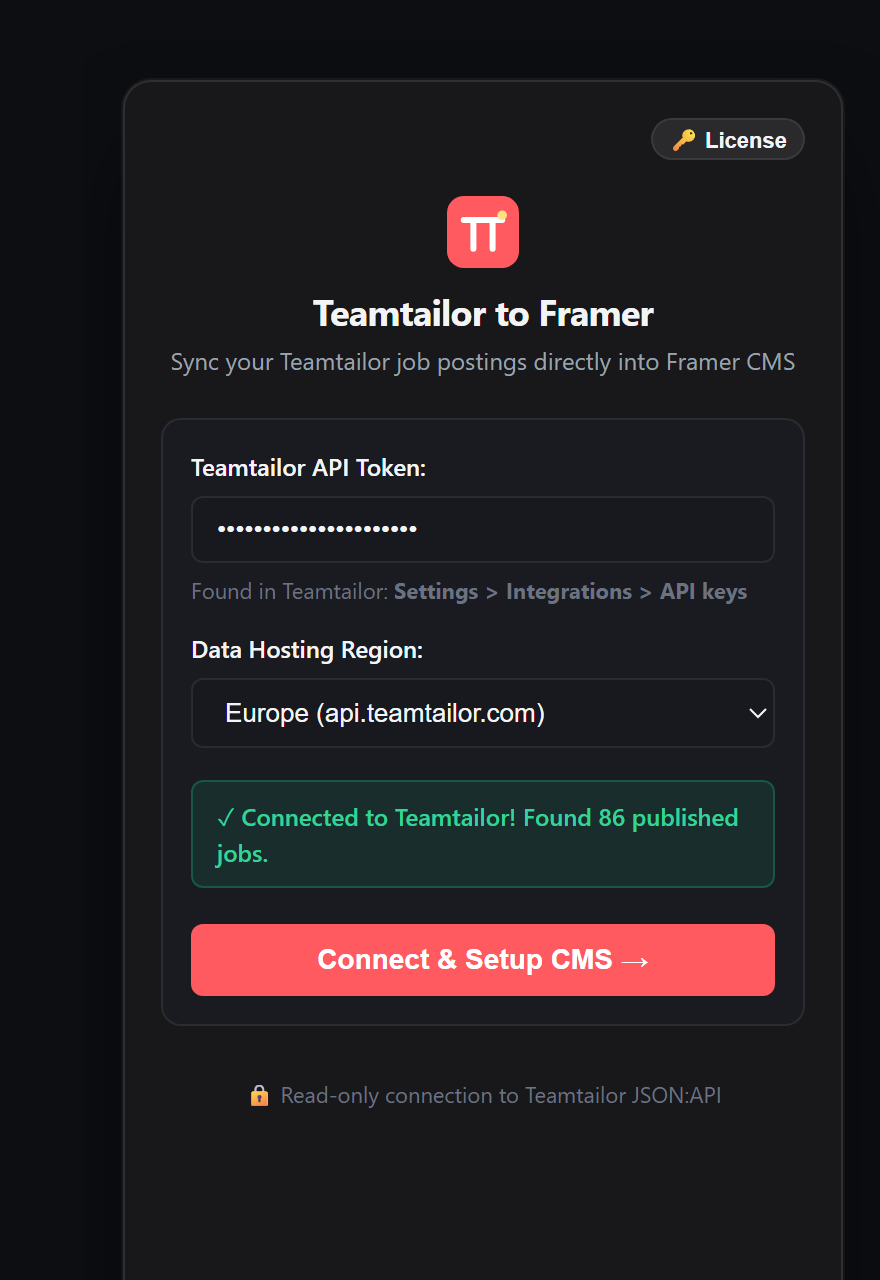
Step 2: Connect Your Teamtailor API Token & Region
Once activated, the plugin displays the connection screen. Here you configure your Teamtailor credentials:
- API Token: Enter your read-only Teamtailor API token.
- Region Host: Select EU (api.teamtailor.com), North America (api.na.teamtailor.com), or Asia-Pacific (api.au.teamtailor.com) depending on where your company tenant is hosted.
Click Test Connection. The plugin connects to Teamtailor directly from your browser session in less than a second and validates your token against the 20240404 API version.
Step 3: Configure Managed Collection & Map Fields
Next, create a new Framer Managed Collection or link an existing one. The plugin inspects Teamtailor's JSON:API response and resolves linked relationships into clean Framer CMS columns:
- Title: Job role headline
- Slug: Collision-safe URL slug generation
- Location: Resolved from included location objects
- Remote Status: Remote, Hybrid, or On-site
- Department: Resolved from linked department entities
- Job Description & Pitch: Clean semantic rich-text body
- Employment Type: Full-time, Part-time, Contract
- Apply URL: Direct applicant submission link
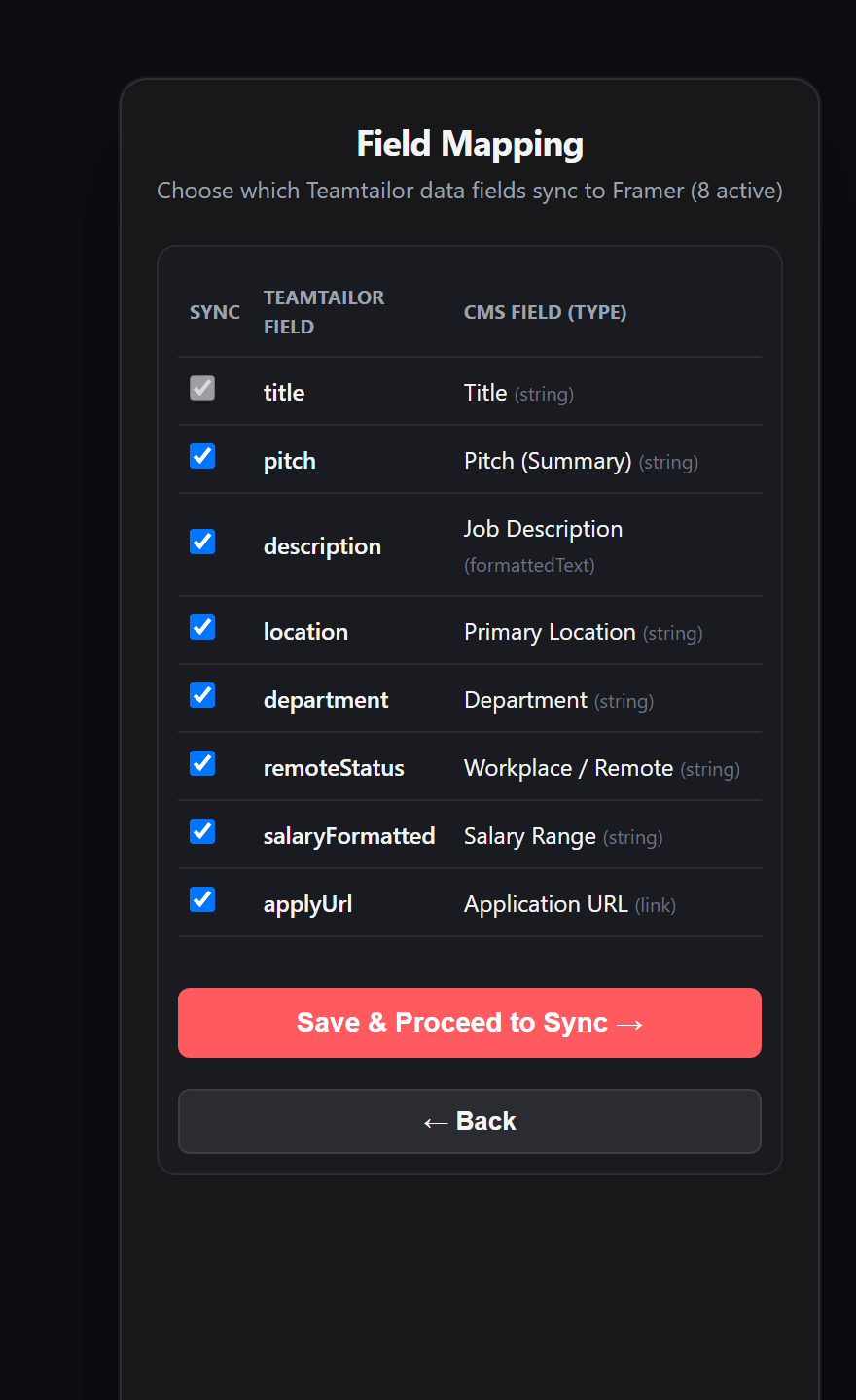
Teamtailor uses the JSON:API v1 specification where departments and locations are delivered in the included block. The plugin automatically resolves these links so you don't have to write custom parsers!
Step 4: Inspect the Delta Reconciler Diff
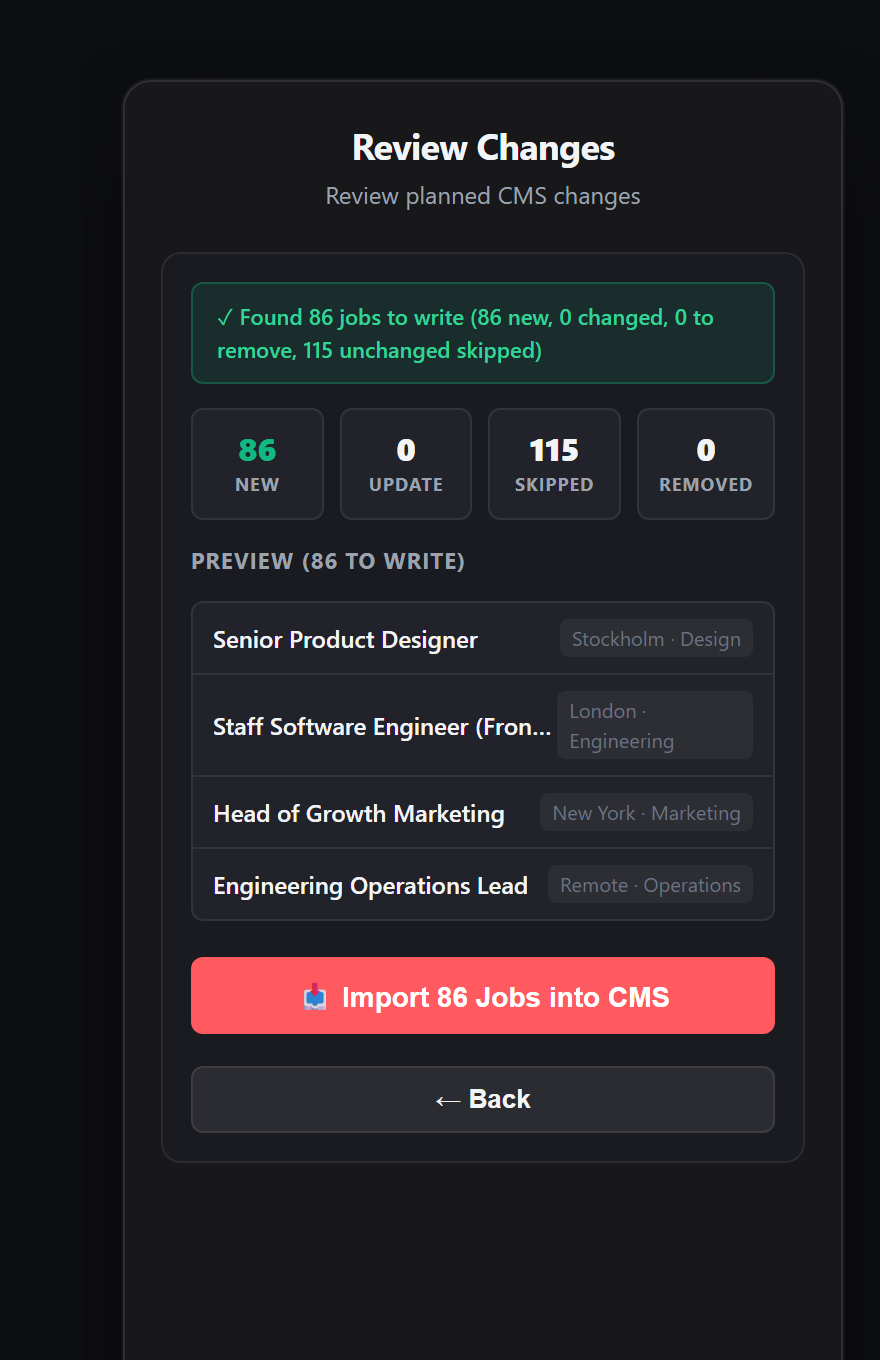
Before any changes are committed to Framer, the plugin's built-in Delta Reconciler compares your live Teamtailor postings with your existing Framer CMS items.
You are presented with a clear visual audit:
- ● Added Postings: Brand-new listings opened in Teamtailor since your last sync.
- ● Updated Postings: Existing listings where titles, salaries, or descriptions were modified.
- ● Unchanged Postings: Roles with matching cryptographic hashes (skipped to prevent redundant writes).
- ● Removed Postings: Roles closed or archived in Teamtailor. The plugin safely purges them so your visitors never encounter ghost jobs.
Step 5: Apply Changes & Go Live
Review the summary and click Apply Changes. In seconds, the plugin commits all changes directly to Framer CMS via the official Framer ManagedCollection API.
A confirmation modal displays the number of items created, updated, and removed, along with the total duration.
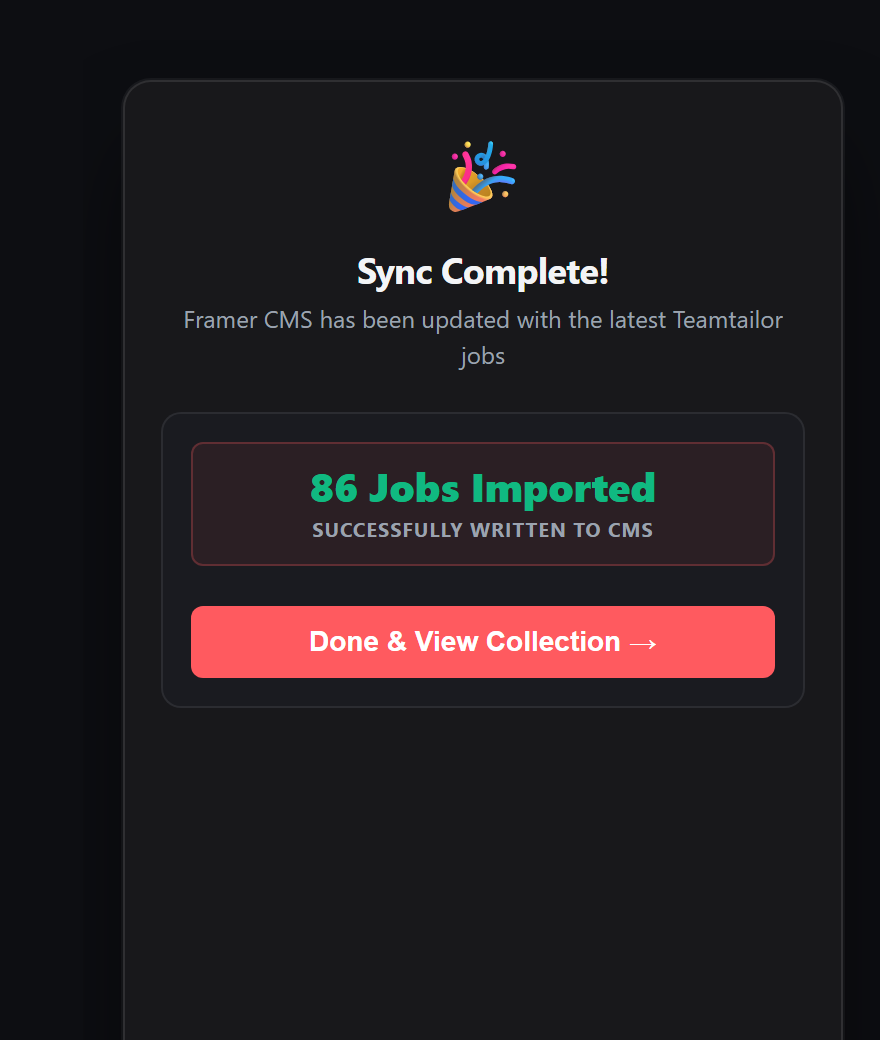
Close the plugin, and your Framer CMS collection is fully populated! Any CMS collection lists, detail pages, search filters, and department tags on your canvas will immediately render your live Teamtailor jobs.
Pro Tips for High-Converting Framer Careers Pages
1. Rich Text Formatting for Job Descriptions
Teamtailor delivers rich HTML job bodies. The plugin includes a semantic HTML sanitizer that removes messy inline font tags, strips conflicting styles, and outputs clean typography-matched rich text in your website's native design system.
2. Multi-Region Global Hiring
If your company operates across Europe and North America with multiple Teamtailor workspaces, you can easily toggle between regions or set up distinct collections tailored to each territory.
3. Fast Weekly Sync Routine
Whenever your recruitment team adds or fills roles, simply open Framer, click Teamtailor to Framer Sync, inspect the diff, and click Apply. What used to take hours of manual copy-pasting now takes under 15 seconds.
